CPAP
From Calendar Chaos to Clinical Efficiency
Final Outcome
60%
Patient Onboarding Efficiency
REDUCED PATIENT ONBOARDING TIME FROM 15 MINS TO 5 MINS BY REDESIGNING WORKFLOWS AND INTRODUCING STRUCTURED ONBOARDING PROCESS
85%
Insurance Tracking Efficiency
INSURANCE CLAIM CRACKING TIME WAS REDUCED FROM 8 MINS TO 1 MINS, IMPROVING EFFICIENCY BY NEARLY 85% AND SIGNIFICANTLY REDUCING ADMINISTRATIVE WORKLOAD
100%
Employees for Single Patient
THE SYSTEM REDICED THE OPERATIONAL REQUIREMENT FROM TWO EMPLOYEES TO ONE PER PATIENT CASE, IMPROVING STAFF PRODUCTIVITY AND LOWERING ADMINISTRATIVE OVERHEAD
Overview
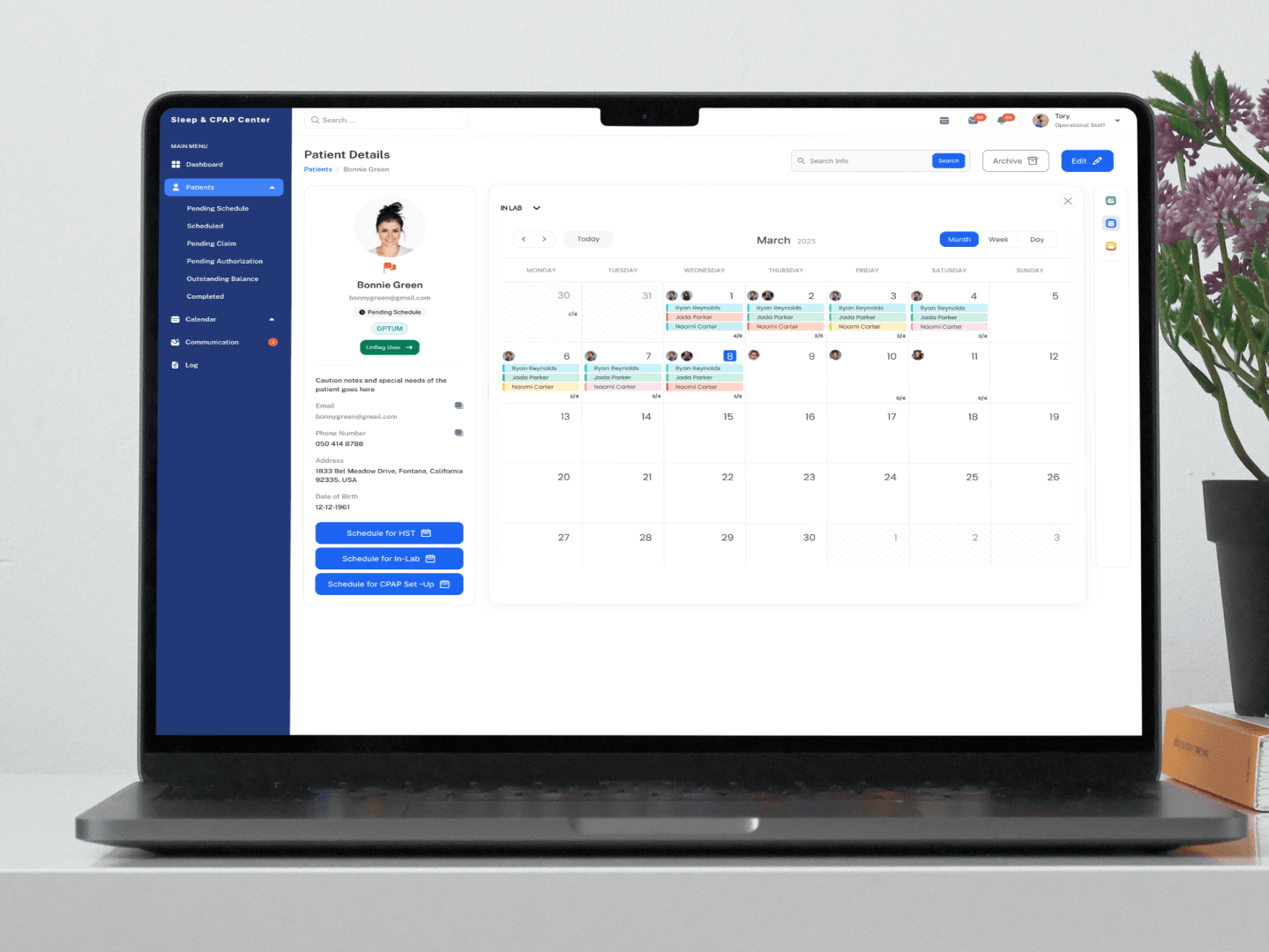
The Sleep and CPAP Center relied on Google Calendar to manage patient appointments, insurance information, and doctor referrals, resulting in scattered data, inefficient workflows, and difficulties tracking insurance claims. To address these challenges, I designed a custom ERP system tailored to the clinic’s operational needs. The solution centralized patient management, streamlined appointment scheduling, and enabled structured insurance claim tracking, improving administrative efficiency and reducing manual workload for staff. This project focused on transforming a fragmented process into an organized, scalable healthcare management system through user-centered design.
Approach
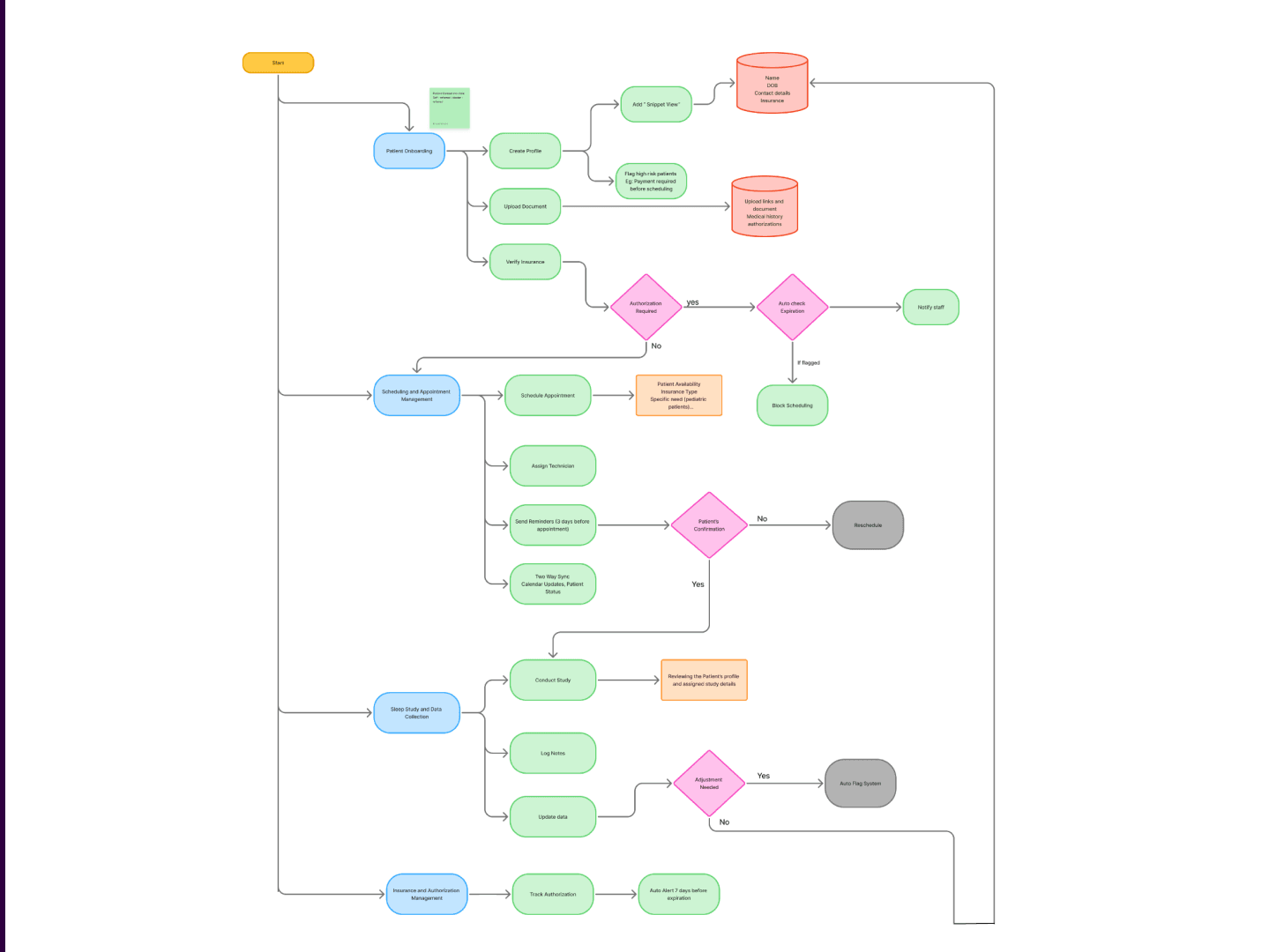
The ERP system was designed through a user-centered process focused on understanding real clinic workflows and operational challenges. The project began with user interviews and workflow analysis to identify pain points in patient management and insurance tracking. Insights from research were translated into user flows and information architecture that reflected staff tasks rather than technical structures. Low-fidelity wireframes were created to explore layout and navigation, followed by iterative refinements based on usability considerations. The final design prioritized centralized information, clear workflow visibility, and action-oriented interfaces, resulting in a scalable ERP system tailored to the daily needs of the Sleep and CPAP Center.
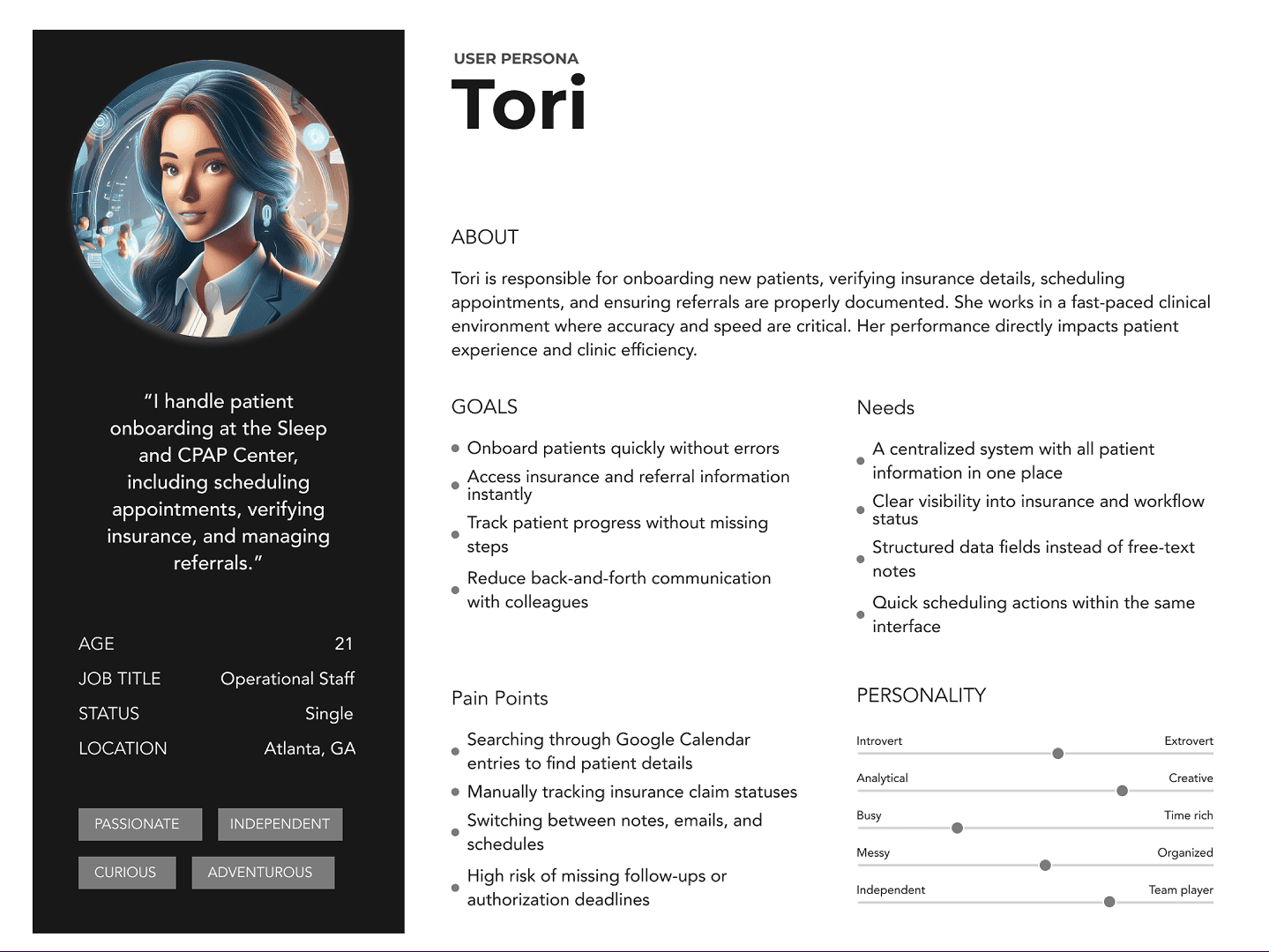
Challenge
The main challenge was to transform a complex, task-heavy CPAP ERP system into a simple, workflow driven experience for staff. Users were spending too much time on manual data entry, navigating fragmented patient information, and tracking insurance claims across multiple steps. The goal was to simplify these critical workflows without compromising the depth of information required by the business, while reducing cognitive load, improving visibility, and helping staff complete everyday tasks faster and with greater confidence.
Problem Statement
"The Sleep and CPAP Center relied on Google Calendar to manage patient, referral, and insurance information, leading to fragmented data, inefficient workflows, and difficulty tracking insurance claims."
Goal
Design a centralized ERP system to streamline patient management and insurance tracking.
Centralize patient, referral, and insurance information in one system
Simplify appointment scheduling and management
Enable easy tracking of insurance claims
Improve workflow efficiency for clinic staff
Minimize data errors and information loss
Pain Points
Manual patient onboarding
- Staff had to enter the same patient information across multiple steps.
- Onboarding took around 15 minutes, creating queues and unnecessary administrative work.
Fragmented patient information
- Patient details, CPAP equipment, insurance information, appointments, and claims were difficult to manage in one place.
- Staff had to switch between different screens or systems.
Complex insurance claim tracking
- Tracking claim status was time-consuming.
- Staff had limited visibility into where a claim was in the process.
- Claim tracking took around 8 minutes per case.
Poor visibility of claim status
- No clear overview of pending, approved, rejected, or submitted claims.
- Staff had to manually check individual records to identify outstanding actions.
Repetitive administrative work
- Employees spent significant time on data entry, verification, and status updates rather than patient-focused activities.
Difficult patient record management
- Finding the right patient or reviewing their history required too many interactions.
- Important information wasn't surfaced based on the staff member's immediate task.
Lack of workflow automation
- Many repetitive processes were handled manually.
- The system didn't proactively guide staff toward the next required action.
Limited operational overview
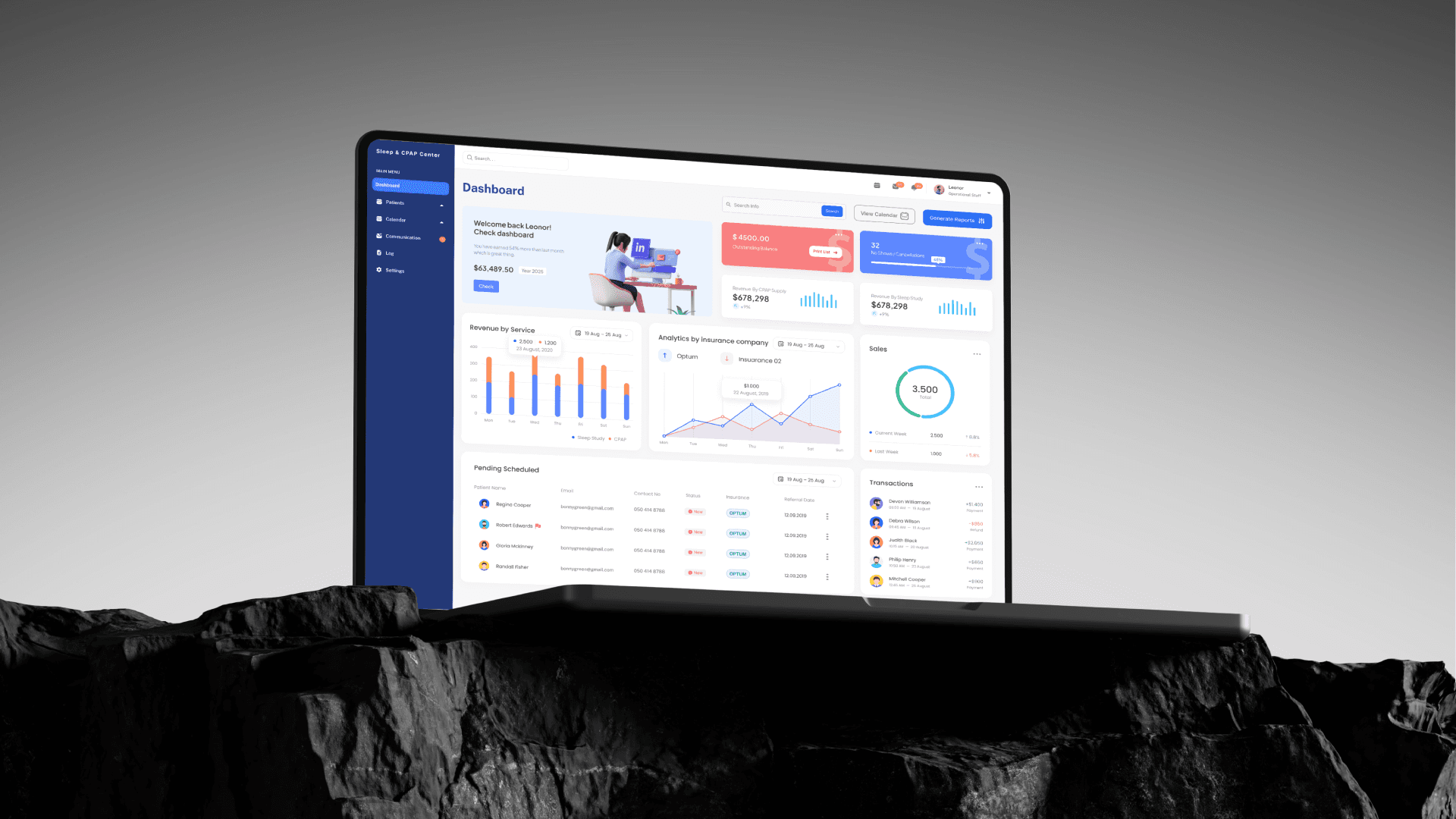
- Managers lacked a clear dashboard showing important metrics such as active patients, pending claims, equipment status, and outstanding tasks.
High cognitive load
- Staff had to remember process steps and manually interpret information.
- Complex workflows increased the possibility of errors and missed actions.
Scalability issues
- As patient volume increased, the manual processes required more staff and more administrative effort.
Insights
The research revealed that the core challenge wasn’t a lack of functionality, but unnecessary complexity within everyday workflows. Staff were spending significant time on repetitive data entry, navigating fragmented patient information, and manually tracking insurance claims. This highlighted an opportunity to redesign the ERP around real user workflows rather than system structures, bringing relevant information together, reducing unnecessary steps, automating repetitive tasks, and making claim and patient statuses easier to understand. Ultimately, the goal was to help staff complete routine tasks faster, with less cognitive effort and greater confidence.
Design Opportunity:
Simplify onboarding into a guided, single workflow
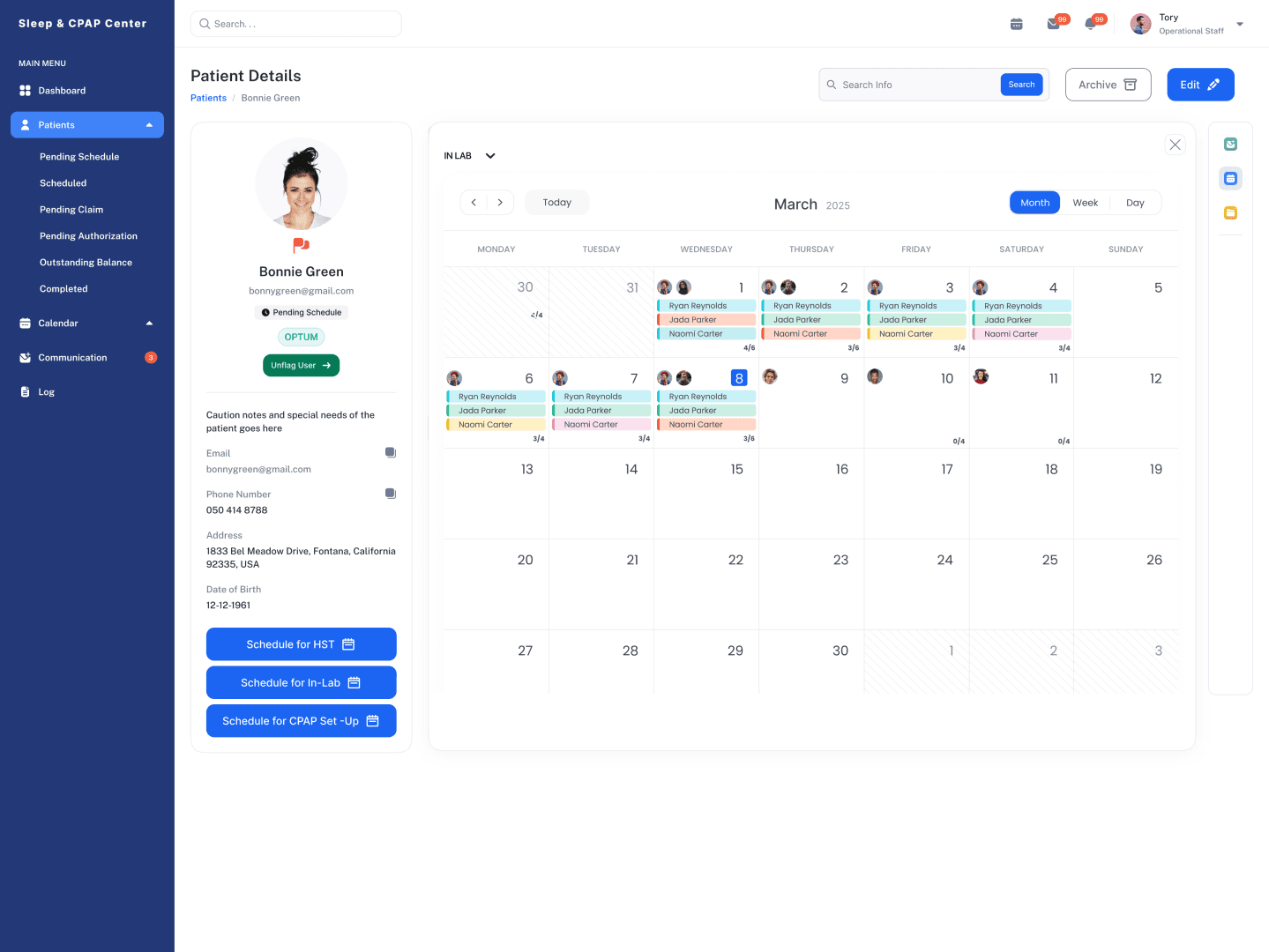
Create a unified patient profile
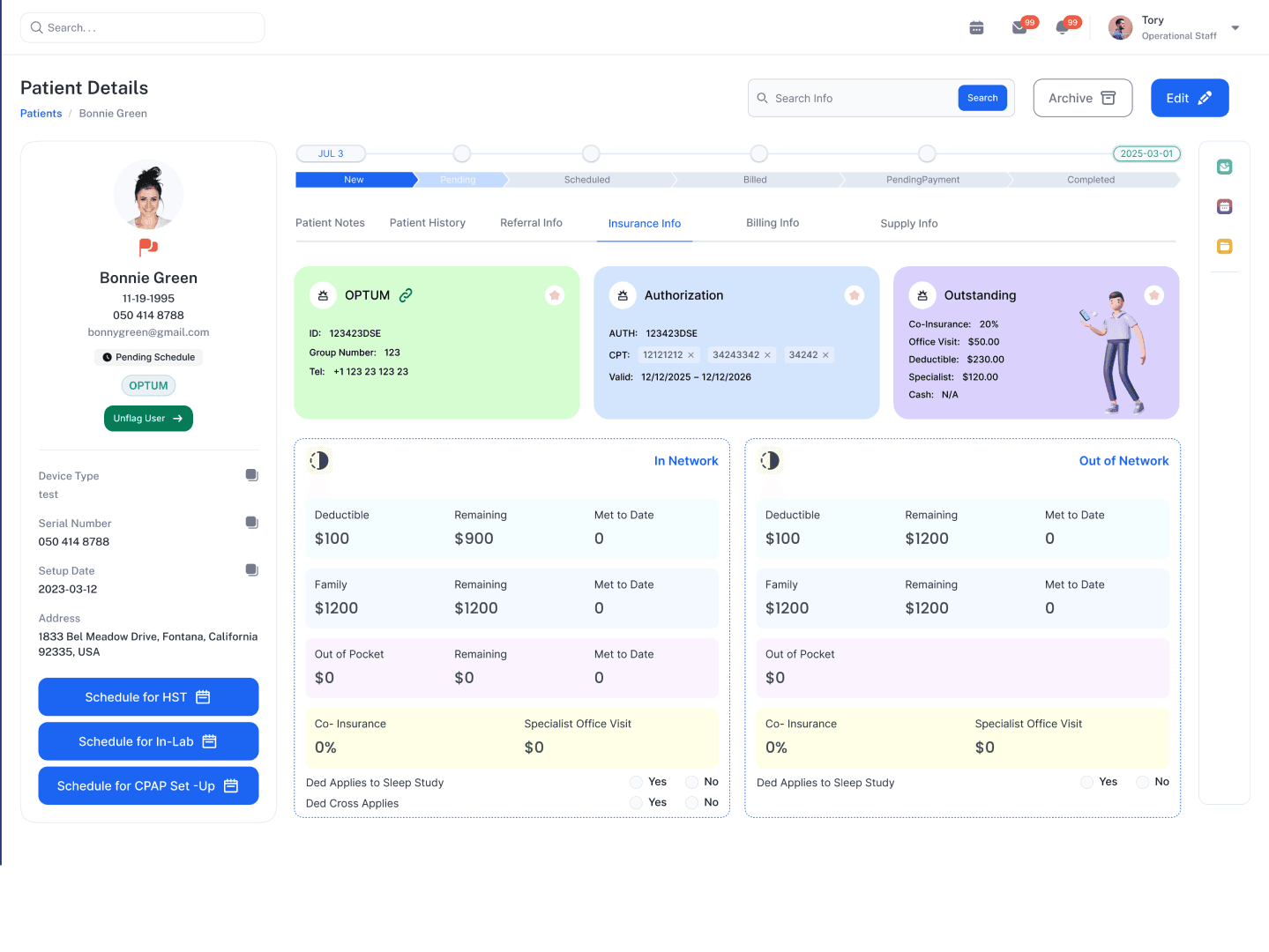
Introduce clear claim statuses and centralized tracking
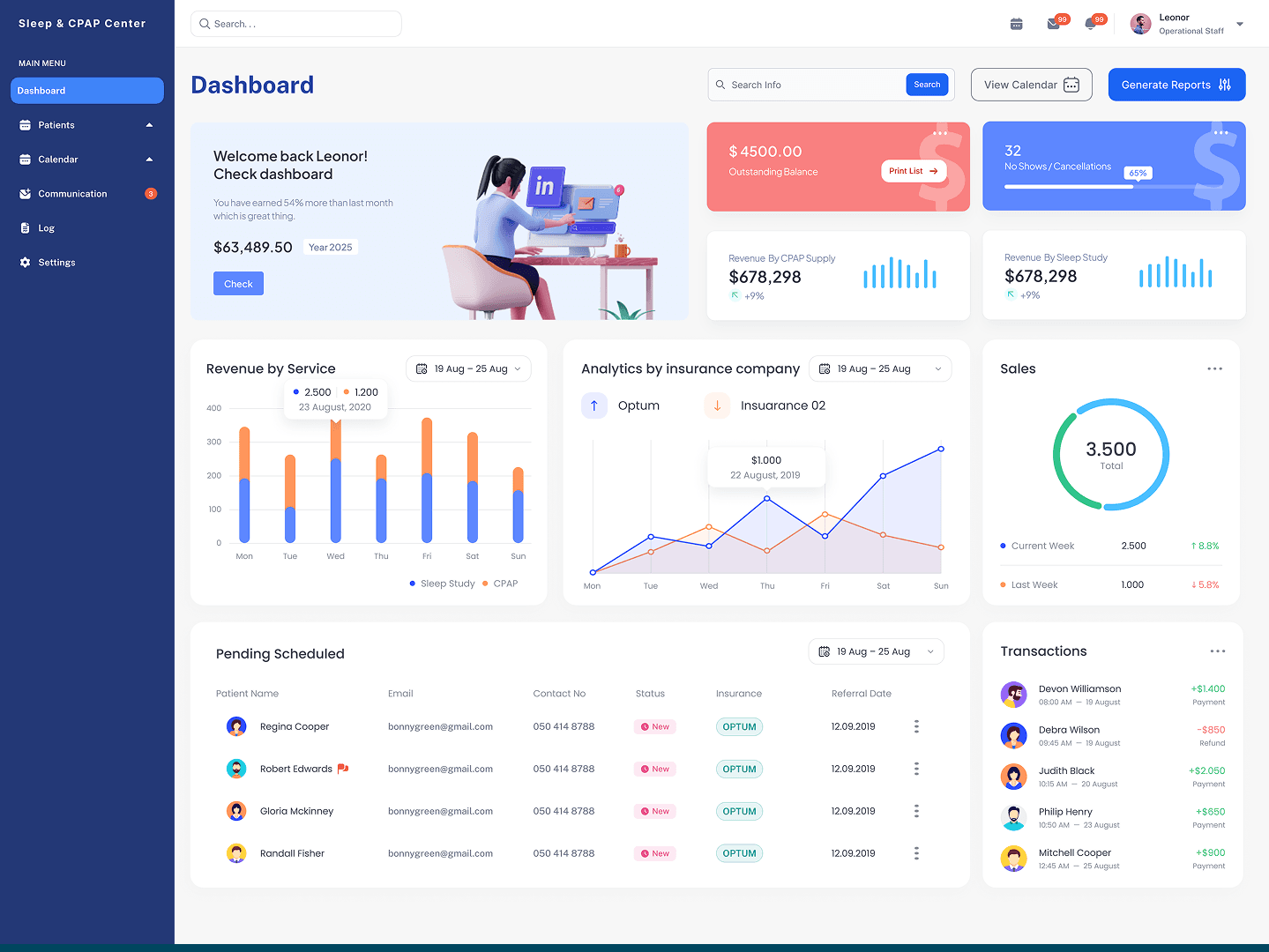
Use status-based workflows and actionable dashboards
Automate data population, status updates, reminders, and recurring actions
Organize information around common workflows
Build the workflow directly into the interface
Create role based dashboards
Progressive disclosure + clear hierarchy
Design workflows that scale through automation and standardization
Design
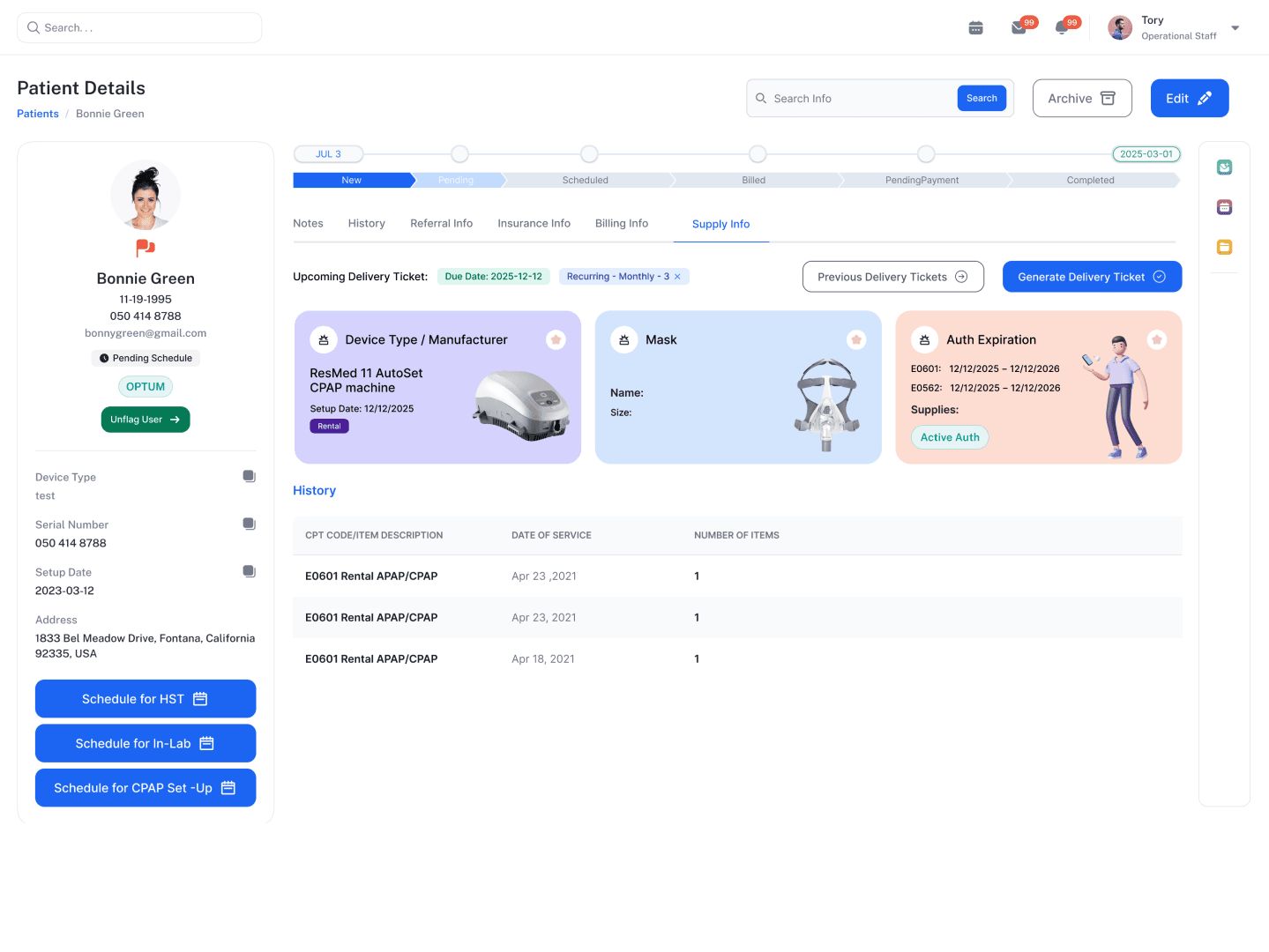
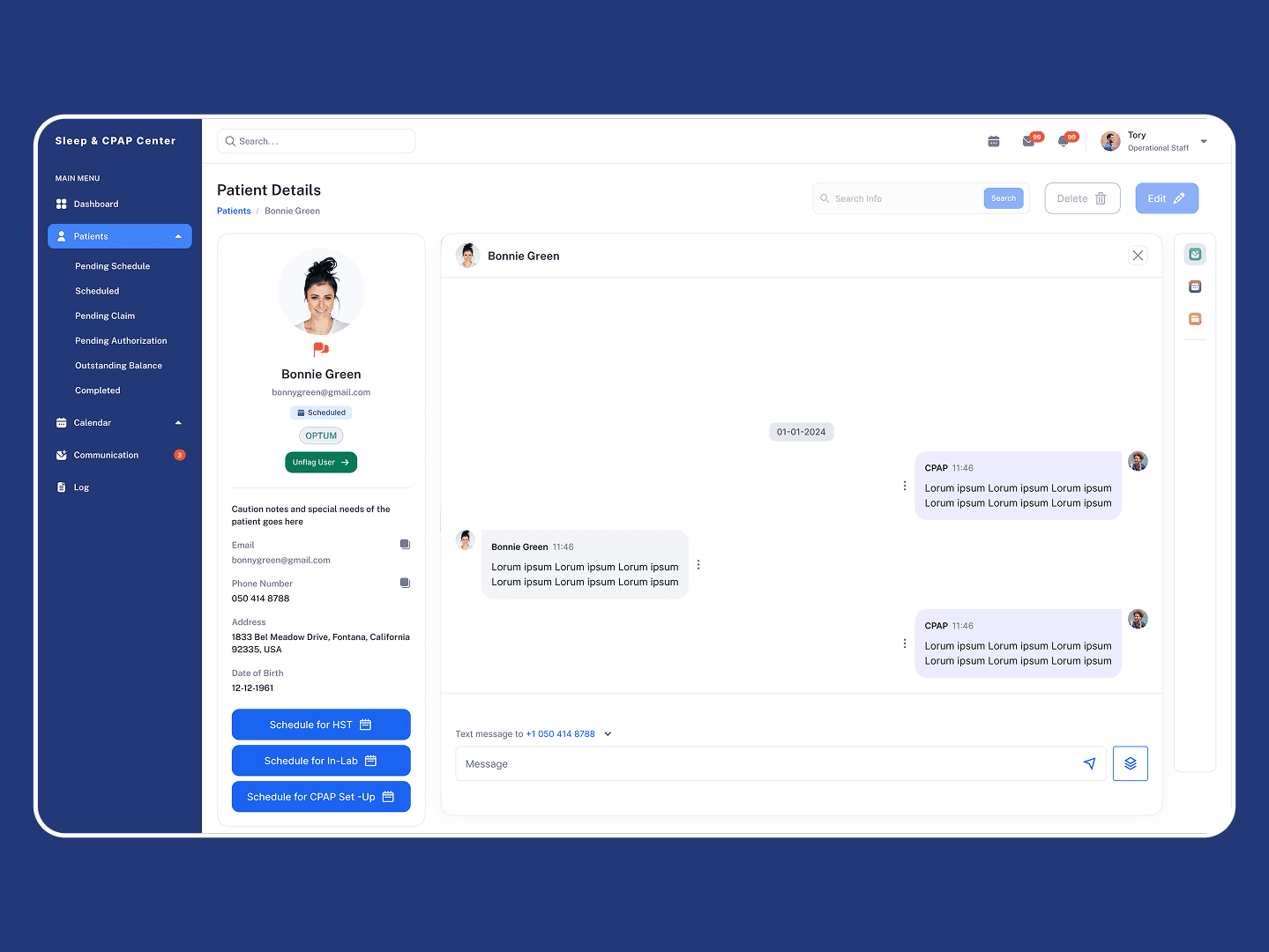
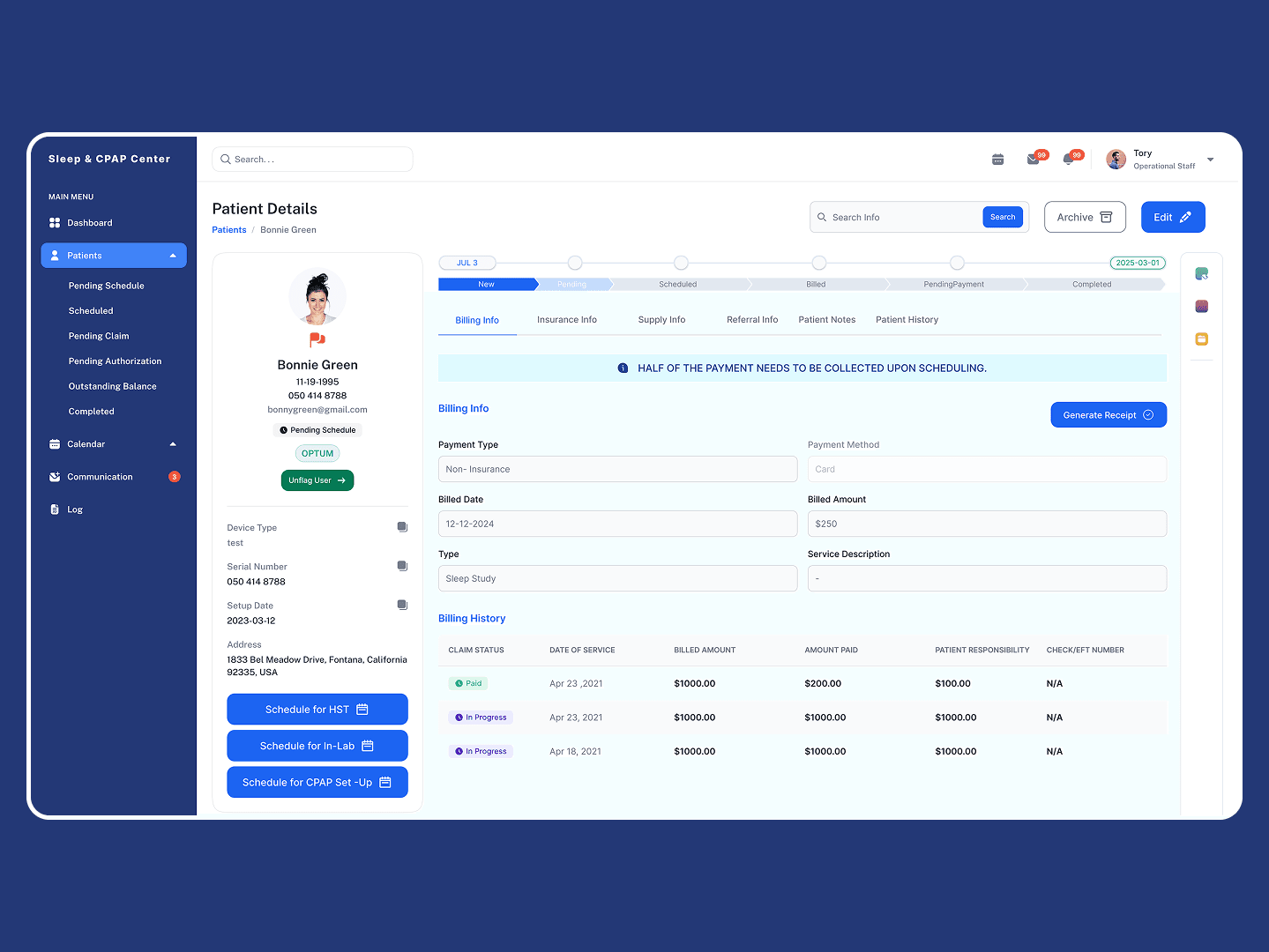
The ERP system was designed through a user-centered process focused on understanding real clinic workflows and operational challenges. The project began with user interviews and workflow analysis to identify pain points in patient management and insurance tracking. Insights from research were translated into user flows and information architecture that reflected staff tasks rather than technical structures. Low-fidelity wireframes were created to explore layout and navigation, followed by iterative refinements based on usability considerations. The final design prioritized centralized information, clear workflow visibility, and action-oriented interfaces, resulting in a scalable ERP system tailored to the daily needs of the Sleep and CPAP Center.
Problem
Solution
UX Impact
Patient onboarding was time consuming, Staff had to complete multiple steps and manually enter repetitive information, taking around 15 minutes.
Simplified onboarding flow with a guided process, better information grouping, and reduced data entry steps.
Reduced onboarding time from 15 → 5 minutes, lowering cognitive load and improving staff efficiency.
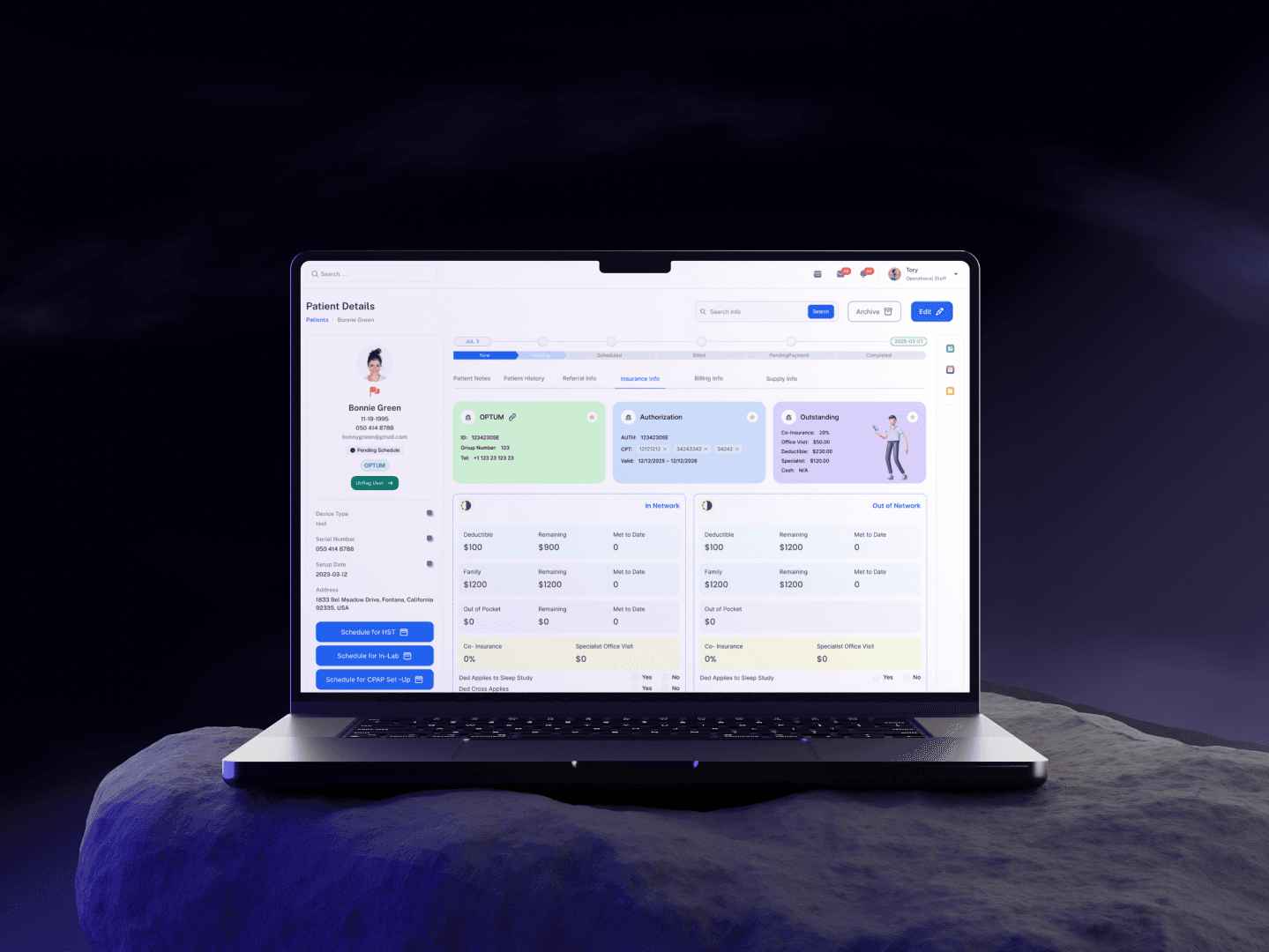
Patient information was fragmented, Staff had to navigate through multiple sections to understand a patient's history, equipment, and current status.
Unified patient profile that brings critical patient information, equipment, insurance, and activity into one contextual view.
Faster information retrieval, fewer navigation steps, and better decision making.
Insurance claim tracking was inefficient, Staff had limited visibility into claim progress and had to manually check individual records.
Centralized claims workflow with clear statuses, progress indicators, filters, and actionable next steps.
Reduced claim tracking time from 8 → 1 minute and made outstanding actions easier to identify.
Too much repetitive administrative work, Staff spent valuable time on manual updates, data entry, and recurring processes.
Streamlined and automated repetitive tasks using reusable information, smart defaults, and workflow based actions.
Reduced administrative workload, minimized repetitive interactions, and allowed staff to focus on higher value work.
The system was difficult to understand at a glance, Important tasks, statuses, and priorities were not surfaced clearly, increasing cognitive load.
Role based dashboard and clearer information hierarchy highlighting priorities, pending tasks, patient activity, and claims requiring attention.
Improved visibility, reduced cognitive effort, and helped staff prioritize work more confidently.
Delivery
The ERP system was delivered through a structured, user-centered design process focused on real clinic workflows and measurable impact.
Design decisions were continuously validated against user needs and workflow efficiency goals. Feedback helped refine navigation, status tracking, and dashboard prioritization.
The final ERP system centralized patient data, streamlined insurance tracking, and introduced visual workflow management. The solution reduced onboarding time, minimized staff dependency, and significantly improved operational efficiency.