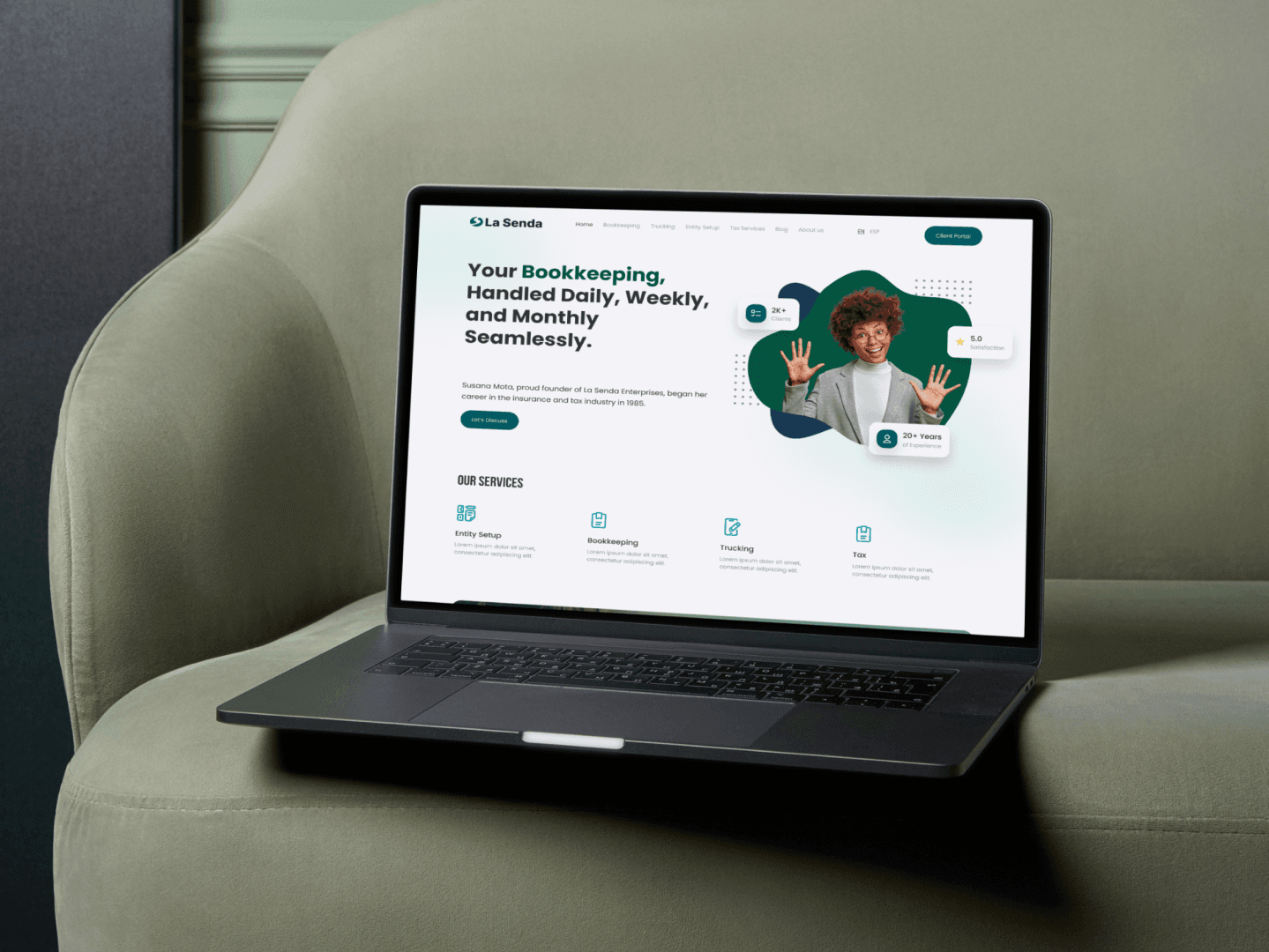
Lasenda
Redesigning a fragmented accounting workflow
Final Outcome
66%
Client Onboarding Efficiency
REDUCES CLIENT ONBOARDING TIME FROM 30 MINS TO 10 MINS BY REDESIGNING ONBOARDING WORKFLOWS AND INTRODUCING STRUCTURED ONBOARDING PROCESS
4×
Invoice Creation Efficiency
REDUCED INVOICE CREATION TIME FROM 8 MINS TO 2 MINS, IMPROVING WORKFLOW EFFICIENCY.
3×
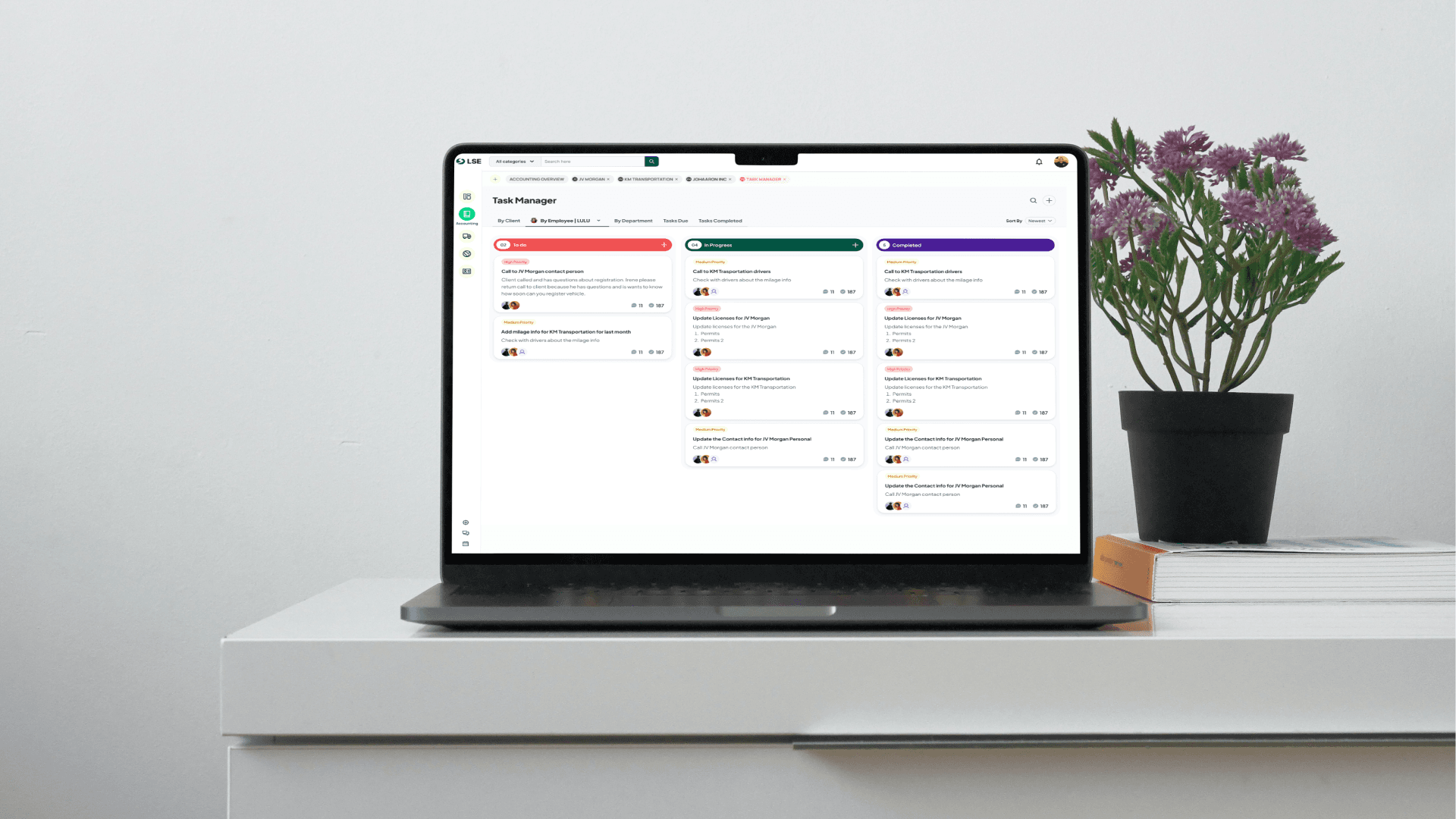
Task Management
BY INTRODUCING TASK MANAGER FEATURE REDUCED TASK HANDLING EFFICIENCY BY 3X. EMPLOYEES CAN EASILY CHANGE STATUS, VIEW DEPENDENCY, ASIGN TASKS.
Overview
Lasenda, an accounting service company, faced major operational inefficiencies due to limitations of their existing CRM, Hawksoft. The system lacked essential task-tracking capabilities, making it difficult to monitor employee progress and manage workloads. Weak data encryption posed security concerns for sensitive financial information. additionally, Hawksoft provided no reliable method for handling client deadlines, increasing the risk of delays and compliance issues.
Approach
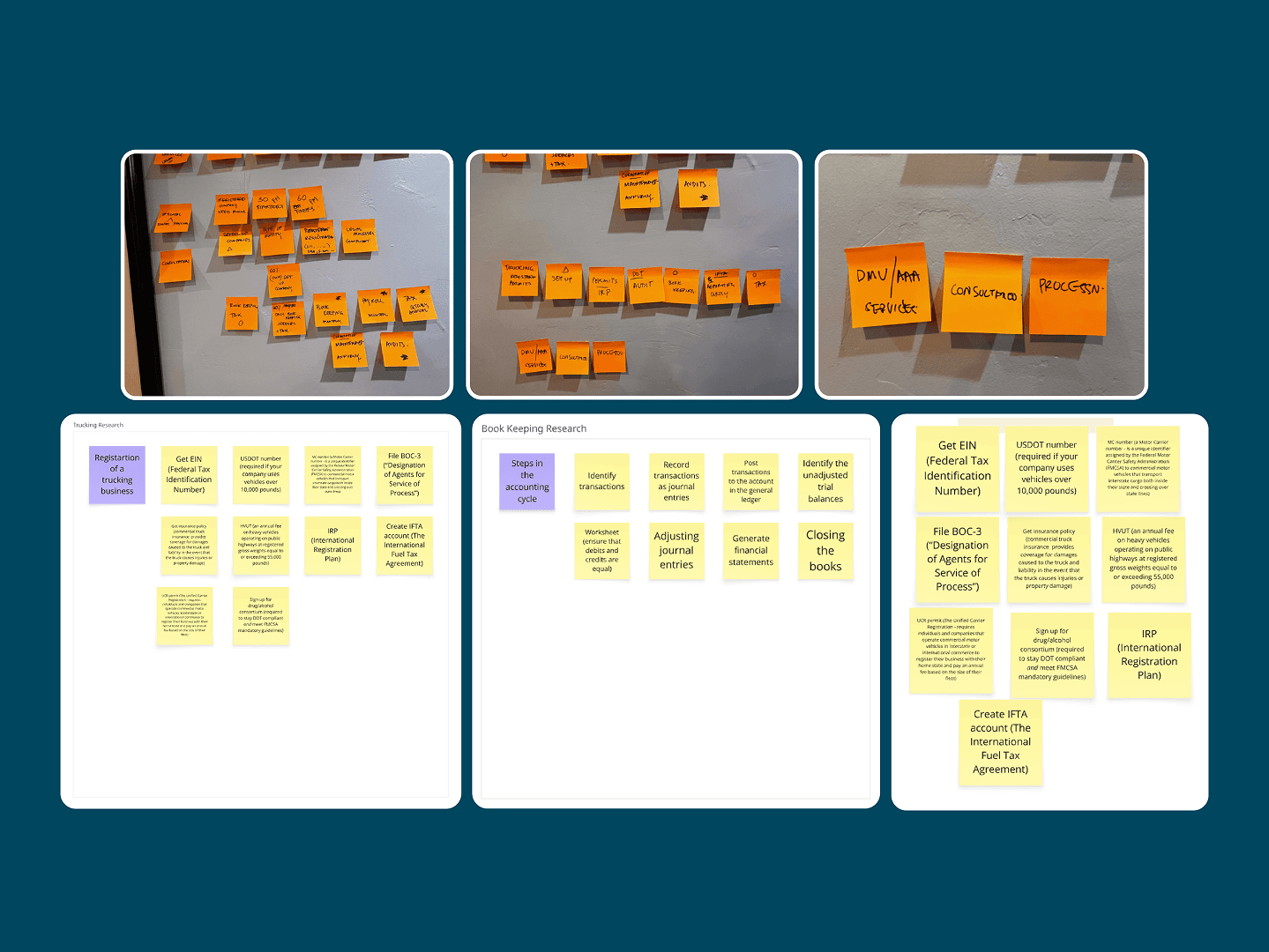
To gain a deep understanding of the operational challenges and user needs, a discovery phase was conducted with key stakeholders and end users. These sessions focused on uncovering daily workflows, identifying pain points within the existing system, and understanding unmet requirements related to task management and data handling. Insights gathered from these sessions directly informed the product requirements and helped prioritise features that would deliver the greatest impact.
Challenge
The main challenge was balancing a wide range of features without overwhelming the user. The product needed to serve both technical and non-technical users, which meant every decision around information architecture and interface complexity had a direct impact on usability.
The goal was not to simplify the product to the point of losing functionality, but to find the right structure — one that guided users through complex workflows in a clear, predictable way. This required several rounds of iteration and close collaboration with stakeholders.
Another important challenge was maintaining visual consistency across a large number of screens and states. Establishing a solid component foundation early in the process was essential to keeping the design scalable and coherent as the scope grew.
Problem Statement
Outdated CRM causes major inefficiency, security risks, and missed deadlines.
Goal
Transforming workflow through secure, tailored software.
Develop a secure, centralized system tailored to Lasenda's workflow.
Enable clear tracking of employee tasks, workloads and project progress.
Implement stronger data protection and encryption measures for financial information.
introduced automated, reliable client-deadline management to reduce missed submission.
Create a flexible develipment process that adapts to evolving stakeholder needs.
Pain Points
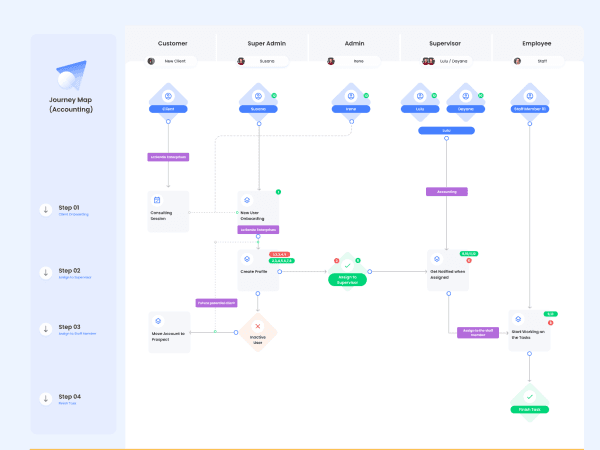
Client Onboarding
- Manual data entry
- No structured onboarding flow
- Difficult to manage multiple account types
- Risk of incomplete or inconsistent information
Assign to Supervisor
- No clear task ownership or status tracking
- Missed deadlines due to lack of visibility
- Fragmented communication across channels
Assign to Staff Member
- Cannot assign tasks to multiple departments efficiently
- No real time task tracking
- Hard to monitor progress
- No automated notifications for new assignments
Task Completion
- No structured deadline management
- No automated reminders
- Limited performance monitoring
- Risk of delayed compliance submissions
Insights
There is no centralized way to track task status, employee workload, or assignment flow. This reduces accountability and transparency.The absence of automated deadline tracking increases the risk of delays and compliance issues.Weak encryption mechanisms create risks when handling sensitive financial data.The workflow depends heavily on manual coordination between roles, increasing operational friction.
Opportunity Areas:
-> Introduce structured onboarding forms
-> Enable task progress tracking dashboards
-> Add deadline management with automated notifications
-> Support multi-department assignment
-> Implement stronger data encryption
-> Auto-generate client IDs and agreement documents
-> Centralize relevant regulatory links
Design
After clearly defining the core problems during the Define phase, including poor task visibility, weak deadline management, and security concerns, I transitioned into the Design phase with a focused objective:To create a structured, secure, and transparent CRM experience that improves workflow efficiency across all roles.
During this phase, I focused on:
-> Designing a clearer task assignment and tracking system
-> Improving deadline visibility with automated notifications
-> Creating structured onboarding flows
-> Strengthening data handling touch points
-> Enhancing role based dashboards for better transparency
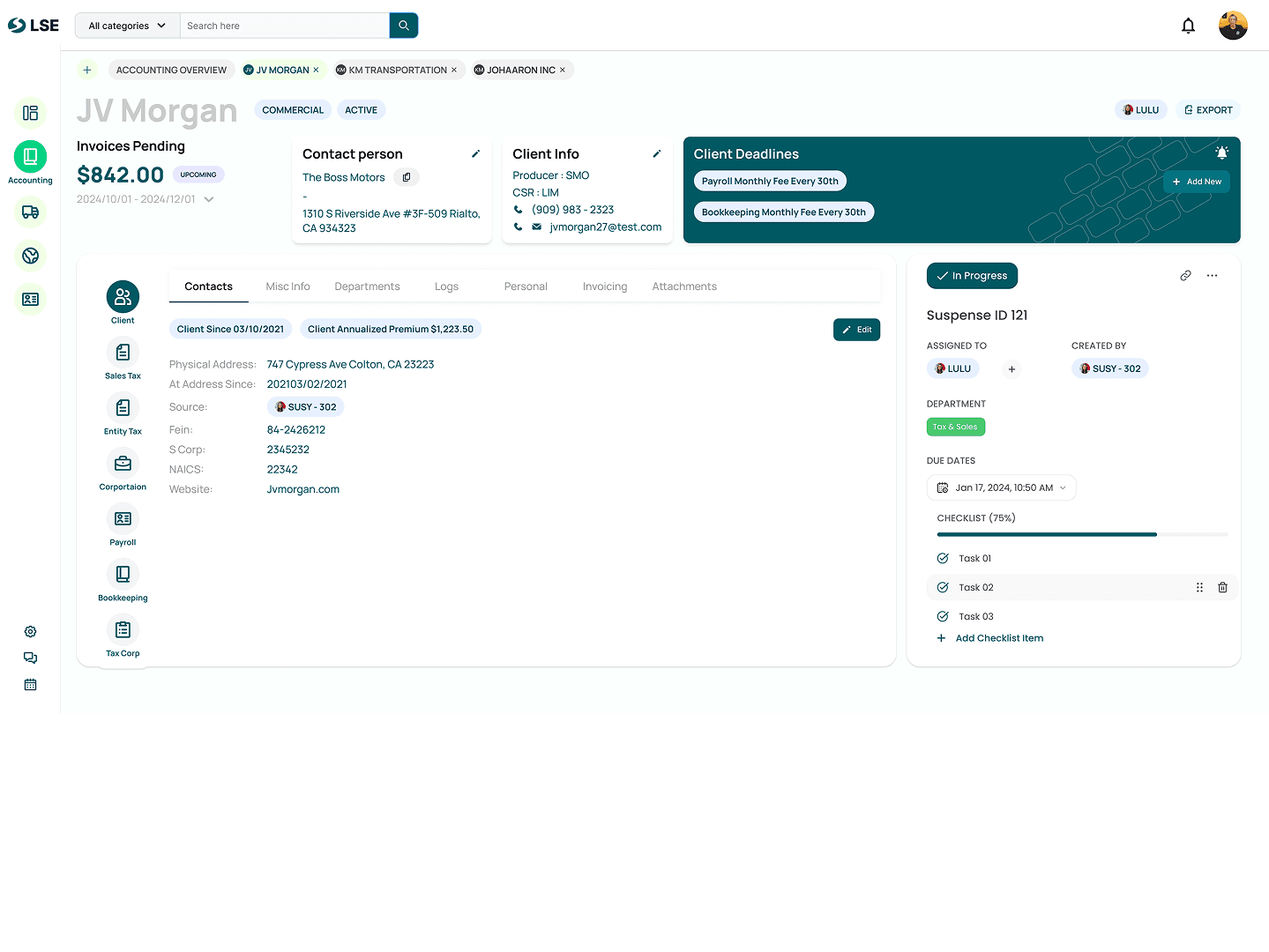
Problem
Solution
UX Impact
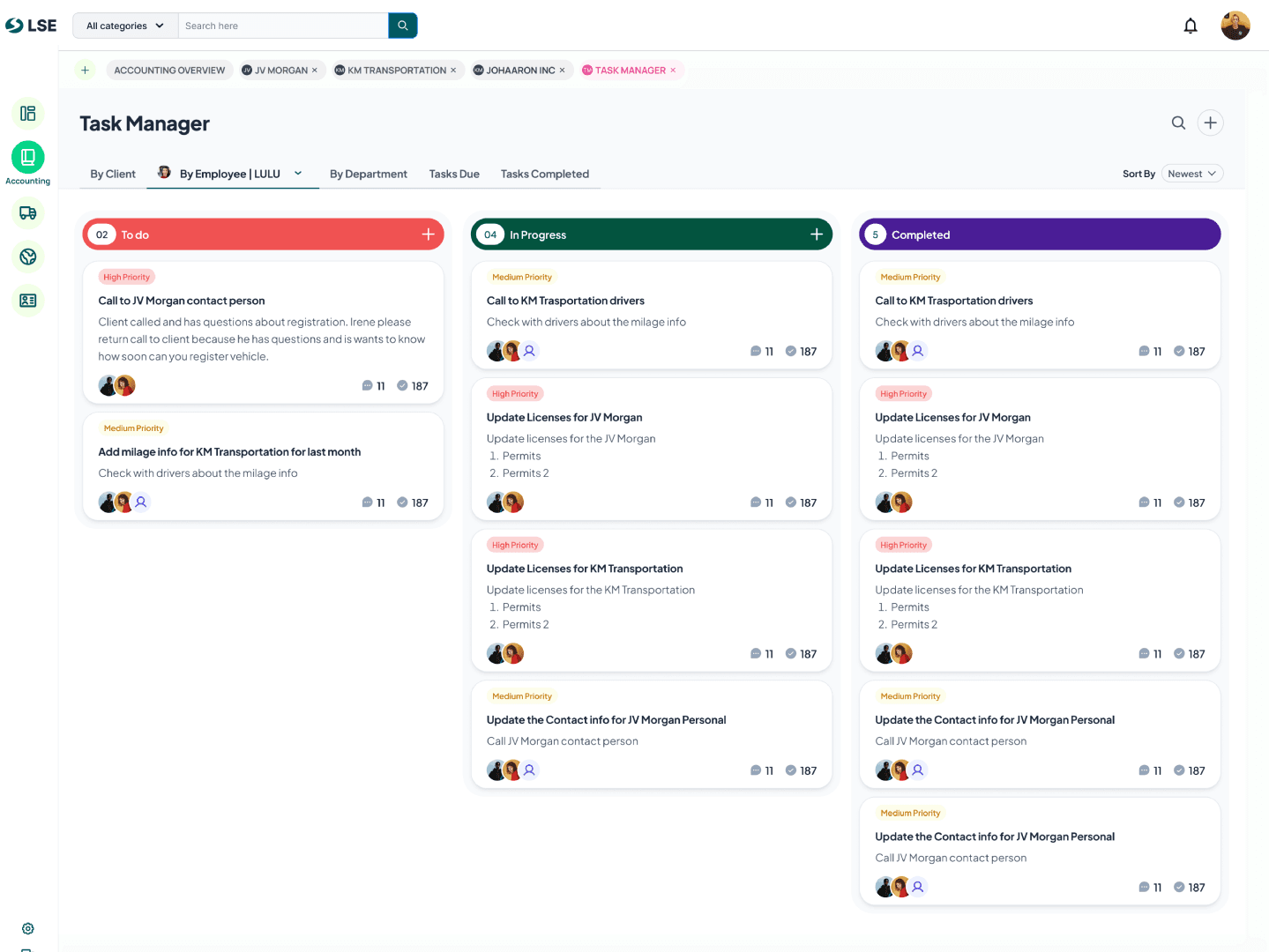
Users don’t know what’s pending, what’s ongoing, or what’s completed. Users struggle to identify what needs urgent attention.Updates and conversations are spread across emails, chats, and calls.Users don’t know who is responsible for what.
-> Kanban Layout (Todo | In Progress | Completed)
-> Clear Task count indicators
-> Visual status separation using color coded sections
-> Priority Tags
-> Strong visual contrast for deadlines
-> Structured card with summaries
-> assignee avatars visible on each task
-> Transformed task management from reactive chaos to structured, visual workflow control.
-> Centralized task based collaboration
->Sort by newest
-> Filter by client, employee, department
-> Inline Task creation
-> Reduces mental load
-> Improves clarity and accountability
-> Centralizes communication
-> Makes prioritization visual
->Enables faster decision-making
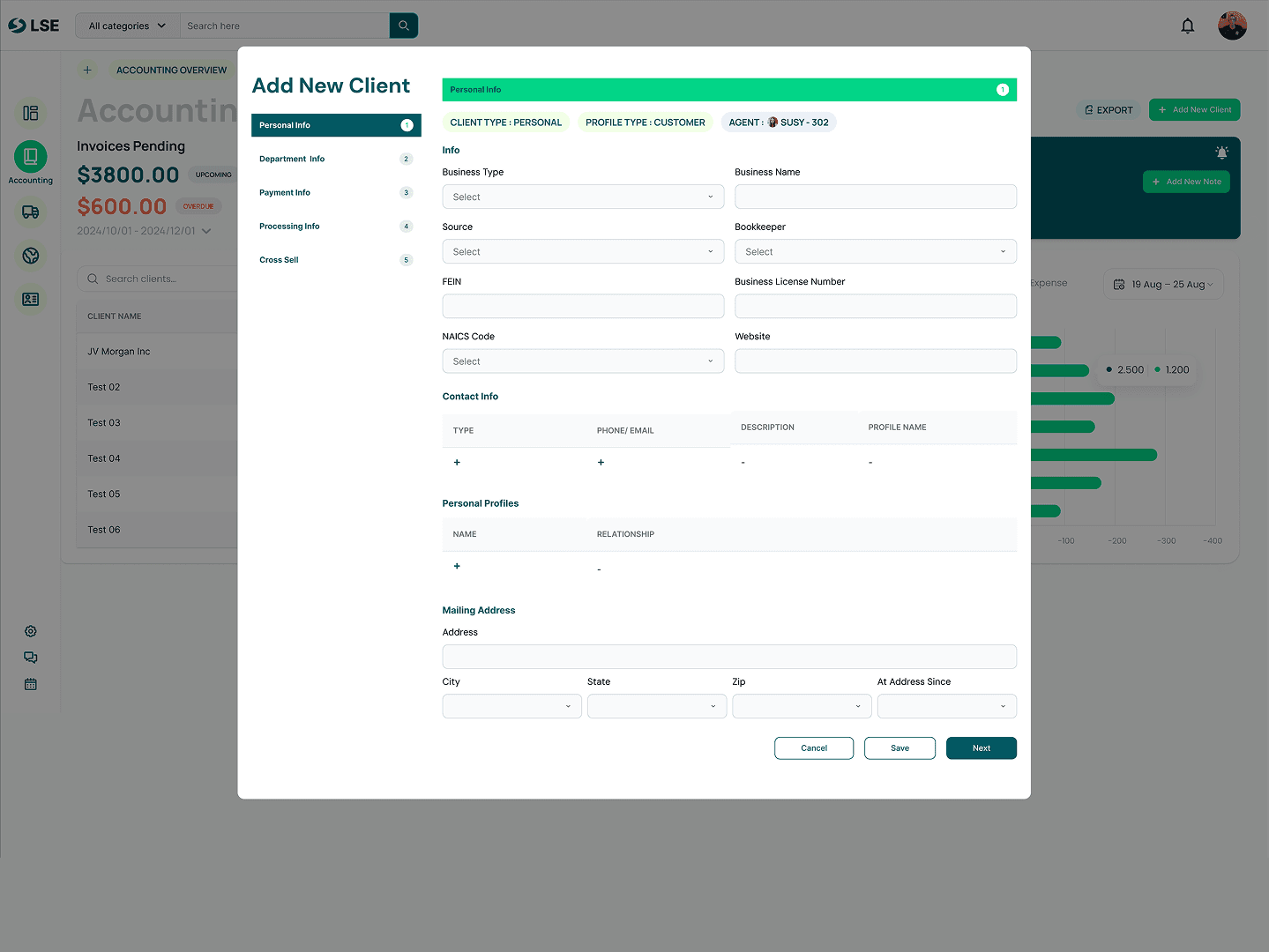
Client onboarding often involves multiple departments, billing rules, fees, and documents , which can overwhelm users. Too many inputs on one screen can cause confusion and mistakes. Financial fields are often unclear and prone to entry errors. Uploading contracts or attachments can feel clunky. Clients may have multiple services or departments. Users worry about losing progress in long forms.
-> Step-based vertical progress navigation | Business Info → Department Info → Payment Info
-> Clear step indicators with numbering
-> Logical grouping of related fields
-> Section-based grouping (Department Info, Billing, Location)
-> Currency selector beside each amount
-> Payment method clearly selectable
-> Visible uploaded file confirmation
-> Modular department configuration
Transformed a traditionally overwhelming client setup into a guided, modular, and error-resistant experience.
-> Breaks down complexity into structured steps
-> Reduces billing errors
-> Supports scalable client setups
-> Improve data clarity
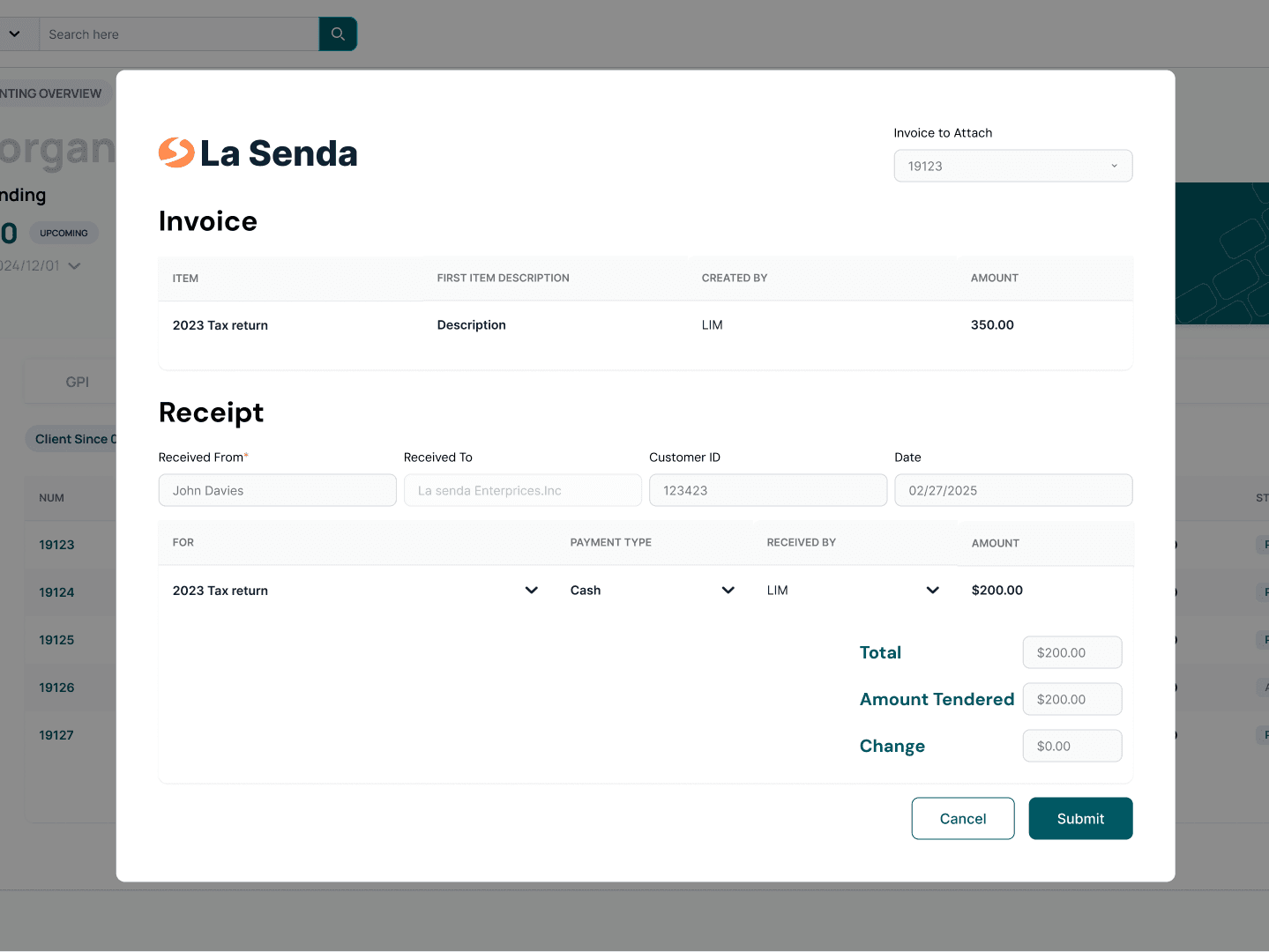
The existing invoicing system was inefficient, manual, and lacked visibility. Users struggled with inconsistent invoice creation, manual calculations, and poor payment status tracking. There was no structured workflow, no automated reminders for due dates, and limited transparency into outstanding payments.
A guided, step-by-step invoice creation process was introduced to reduce errors and ensure complete data entry.
-> The system now auto calculates totals, taxes, and service fees based on predefined rules.
-> Invoices now display real-time status indicators (Draft, Sent, Overdue, Paid).
-> Payment due dates are clearly highlighted, with automated reminders.
-> A dashboard view allows filtering by client, status, and date.
Ultimately, the redesign strengthened operational reliability while improving the overall user experience for Admins and Supervisors.
-> Efficiency (less time spent creating and tracking invoices)
-> Accuracy (reduced billing errors)
-> Visibility (clear payment tracking)
-> Accountability (defined ownership and status clarity)
Delivery
After completing the Design phase, the finalized UI designs and prototypes were handed over to the development team to begin implementation. The handoff included detailed design specifications, user flows, and interaction guidelines to ensure accurate translation of design decisions into the final product. However, the process did not end at handoff. Since the project requirements evolved alongside business needs, continuous collaboration became a key part of the workflow.
Weekly Client Collaboration: Throughout development, weekly meetings were conducted with stakeholders and clients to:
Clarify design requirements
Address implementation questions
Validate workflows against real business processes
Capture requirement changes and newly identified needs
These sessions ensured alignment between design, development, and business expectations.
UX Role During Development: During this stage, my role shifted from designer to UX collaborator and design validator, where I:
Explained design decisions to developers
Updated designs based on new requirements
Refined user flows when business processes changed
Ensured usability was maintained despite scope adjustments
Prevented deviations from the intended user experience
Impact on the Product: Continuous UX involvement during development helped:
Reduce misunderstandings between stakeholders and developers
Adapt the system to evolving client needs
Maintain design consistency throughout implementation
Minimize rework by validating decisions early
This iterative collaboration ensured that the final product remained user-centered while accommodating real-world operational changes.